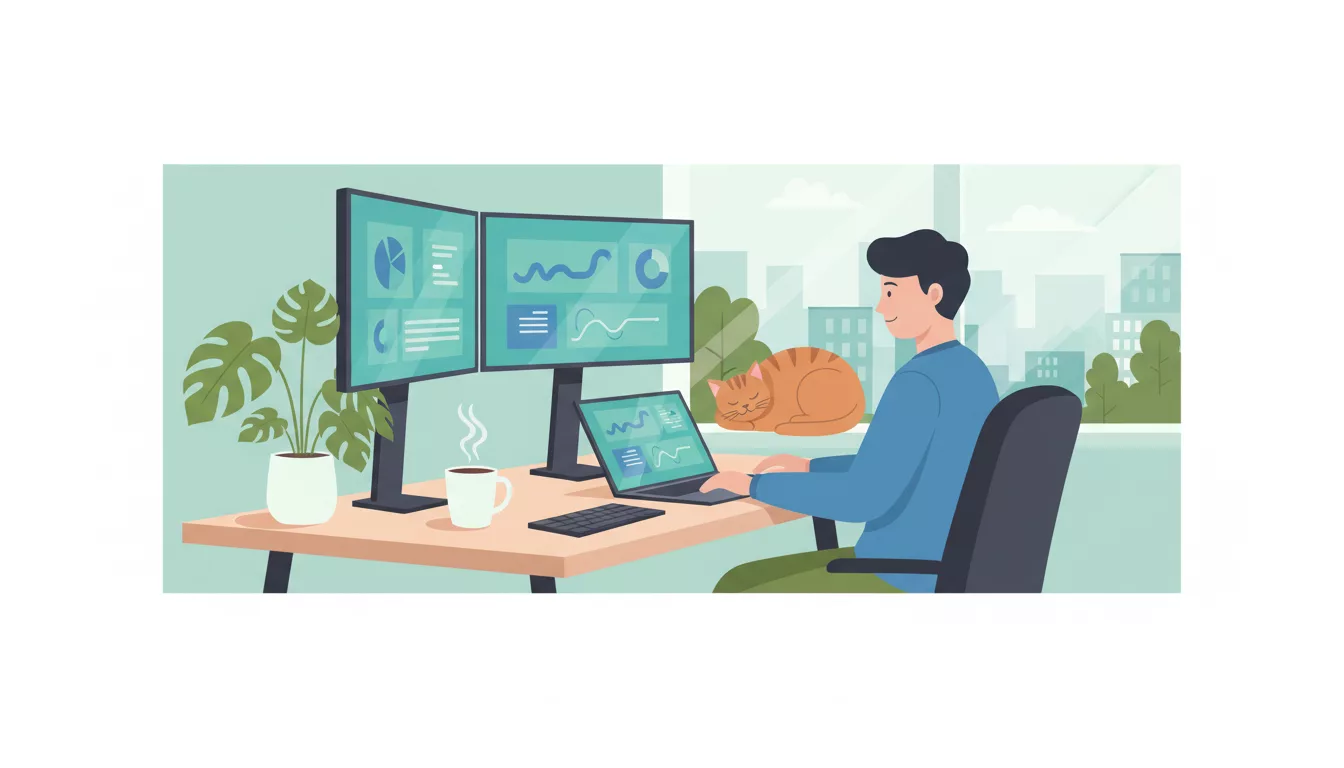
Working from home sounds like a dream until you're three hours into your day and realize you've answered two emails, reorganized your spice rack, and watched a 45-minute video about how bridges are built.
Remote work is staying. About 35% of workers who can work remotely do so full-time, and another 41% work hybrid. But the people who thrive remotely aren't just "disciplined." They've built systems that make productivity the default, not something that requires willpower every single morning.
Here are 21 tips that actually work — not the obvious "make a to-do list" stuff you've read a hundred times.
Setting Up Your Workspace
1. Create a Physical Boundary Between Work and Life
Your brain needs a signal that says "we're working now." A dedicated room is ideal, but even a specific corner of your apartment works. The key is consistency. When you sit in that spot, you work. When you leave it, you're done.
If you're in a small apartment, a folding screen or even a different desk orientation can create the separation. Some people use a specific lamp they only turn on during work hours. Sounds silly. Works surprisingly well.
2. Invest in Your Chair Before Your Monitor
People drop $800 on a monitor and sit on a $60 kitchen chair for 8 hours. Your back will remind you of that decision by age 35. A good ergonomic chair ($300-600 range) pays for itself in fewer chiropractor visits and less afternoon fatigue. You think better when your body isn't screaming at you.
3. Get Your Lighting Right
Natural light from the side (not behind your screen, not directly in your face) reduces eye strain and improves mood. These same lighting principles apply when you are preparing for a virtual interview from home. If your home office is a basement, a daylight-temperature LED desk lamp (5000K-6500K) makes a measurable difference in alertness. Overhead fluorescent lighting is the enemy of focus.
4. Keep Your Workspace Clean — Actually Clean
A Princeton neuroscience study found that visual clutter competes for your attention and reduces your working memory. You don't need to be a minimalist. But if your desk has last Tuesday's coffee mug, three Amazon packages, and a stack of mail, your brain is processing all of that in the background. Spend 5 minutes clearing your desk before you start each day.
Time Management That Actually Works
5. Time-Block Your Calendar (Including Breaks)
Don't just list tasks — assign them to specific hours. "Write project proposal" is a wish. "Write project proposal, 9:00-10:30 AM" is a plan. Block your calendar for deep work, meetings, email processing, and breaks. If it's not on the calendar, it probably won't happen.
This also protects your time from meeting creep. When someone tries to schedule over your deep work block, you can honestly say "I'm booked."
6. Do Your Hardest Work During Your Peak Hours
Most people have 2-4 hours of peak cognitive performance per day. For many, that's mid-morning (9-11 AM). For night owls, it might be late afternoon. Figure out when yours are and guard those hours ruthlessly. Don't waste them on email or status meetings.
Save the low-energy tasks (expense reports, organizing files, responding to routine messages) for your post-lunch slump.
7. Use the Two-Minute Rule
If something takes less than two minutes, do it now. Reply to that message. Approve that request. File that document. Small tasks pile up fast when you defer them, and the mental overhead of tracking 30 tiny to-dos is worse than just knocking them out.
8. Set a Hard Stop Time
Remote work's biggest trap isn't slacking off — it's never stopping. When your office is 10 steps from your couch, there's always "one more email." Set a hard stop time and stick to it. Close the laptop. Walk away. Your evening self will thank your working self.
If you struggle with this, set an alarm. When it goes off, you have 10 minutes to wrap up. Then you're done.
Communication and Visibility
9. Over-Communicate on Purpose
In an office, your manager sees you working. Remotely, they don't. That's not a problem if you communicate proactively. Send brief updates without being asked. Share what you finished today, what you're working on tomorrow, and any blockers. It takes 3 minutes and prevents the "what does this person actually do?" question that kills remote careers.
10. Default to Writing
Remote work runs on written communication. Get good at it. Write clear, concise messages. Use bullet points. Lead with the conclusion, not the backstory. A well-written Slack message saves a 15-minute call that could've been — yes — a message.
If you want to sharpen your professional writing, our guide on writing professional emails covers the fundamentals that apply to any work communication.
11. Turn Your Camera On (Most of the Time)
Nobody loves being on camera all day. But for important meetings — team syncs, 1-on-1s with your manager, client calls — having your camera on builds trust and connection. You pick up on facial expressions and reactions that get lost in audio-only calls. Save camera-off for the all-hands meetings where you're one of 200 people.
12. Build Relationships Before You Need Them
The biggest downside of remote work is isolation. You miss the hallway conversations, the lunch chats, the casual relationship-building that happens naturally in an office. You have to be intentional about it. Schedule virtual coffee chats. Comment on people's wins in team channels. Ask people about their weekend. It feels forced at first. It gets natural fast.
A strong professional network matters especially if you're ever job searching again — here's how to optimize your LinkedIn profile so those connections pay off.
Staying Focused (Without Burning Out)
13. Use the Pomodoro Technique — Or Your Own Version
Classic Pomodoro: 25 minutes of focused work, 5-minute break, repeat four times, then take a longer break. But 25 minutes is too short for deep work like coding or writing. Try 50/10 or 90/20 instead. The specific numbers matter less than the rhythm: focused work, then genuine rest, then back at it.
14. Put Your Phone in Another Room
Not on your desk face-down. Not in your drawer. In another room. A University of Texas study found that even having your phone visible reduces cognitive capacity, even if you never touch it. Your brain is constantly spending energy not checking it. Remove the temptation entirely during your deep work blocks.
15. Batch Similar Tasks Together
Context-switching is expensive. Every time you jump from writing a report to answering Slack to reviewing a spreadsheet, your brain needs 15-25 minutes to get back into flow. Instead, batch similar tasks: do all your emails at 9 AM and 3 PM. Take all your calls back-to-back. Keep your writing blocks uninterrupted.
16. Take Real Breaks (Not Phone Breaks)
Scrolling Instagram is not a break. Your brain doesn't rest when you switch from work screen to phone screen. A real break means moving your body, looking at something far away, or doing something with your hands. Walk around the block. Make a snack. Stretch. Water your plants. Five minutes of actual rest beats 20 minutes of doomscrolling.
17. Exercise Before or During Your Workday
A 30-minute walk or workout before you start working is the closest thing to a productivity cheat code. It improves focus, reduces anxiety, and gives you energy that lasts hours. If morning exercise isn't your thing, a midday walk works too. Some of the best remote workers block 30 minutes at lunch for movement. Non-negotiable.
Avoiding Common Remote Work Traps
18. Don't Let Meetings Fill Your Calendar
Meetings expand to fill the space you give them. Block at least 60% of your workday for non-meeting time. Decline meetings that don't have agendas. Suggest 25-minute meetings instead of 30, or 50 instead of 60. You'll be amazed how much faster decisions happen when there's a tighter deadline.
And if a meeting could be an email? Say so. Politely. Your whole team will silently thank you.
19. Fight the "Always Available" Expectation
Just because you're home doesn't mean you're available 24/7. Set your working hours, communicate them, and stick to them. Turn off notifications outside those hours. If your company culture expects instant responses at 9 PM, that's a company culture problem, not a you problem. If you're considering a career change, healthy remote work boundaries should be on your checklist for the next role.
20. Watch for Burnout Signs Early
Remote burnout sneaks up on you because there's no dramatic moment — no terrible commute, no office drama. It's just a slow erosion. Watch for: dreading Monday more than usual, feeling cynical about work you used to enjoy, physical exhaustion despite sitting all day, or withdrawing from team interactions. If you notice these, take action before it gets worse. Use PTO. Talk to your manager. Adjust your workload.
21. Separate Your Work Tech from Personal Tech
If possible, use different browsers, different user profiles, or even different devices for work and personal stuff. When your work Slack and personal YouTube live in the same browser, the boundary between work and life dissolves. A separate browser profile takes 30 seconds to set up and keeps your work life from bleeding into everything.
Remote Work Tips for Specific Situations
New to Remote Work
Your first few weeks will feel weird. You'll probably overwork because you feel guilty being at home. That's normal. Focus on building routines first — consistent start time, consistent lunch, consistent end time. The productivity will follow once the routine is established.
If you're new to the workforce and starting remote, our guide on getting a job with no experience includes tips on building professional habits from scratch.
Hybrid Workers
Hybrid is harder than full remote in some ways because you're constantly switching contexts. Use your office days for collaboration — meetings, brainstorming, relationship building. Use your home days for deep focus work. Don't try to replicate the office experience at home or the home experience at the office.
Remote Workers With Kids
Anyone who says "work from home is easy if you just have discipline" has never tried to write a quarterly report while a toddler demands goldfish crackers. Be realistic about what you can accomplish during childcare hours vs. focused work hours. Communicate openly with your manager about your schedule. Most reasonable managers prefer honest scheduling over the fiction that you're available 9-5 while also watching kids.
Freelancers and Self-Employed
Everything above applies double when you don't have a boss setting deadlines. Add these: track your hours (even roughly), set weekly revenue goals, and create external accountability — a co-working buddy, a mastermind group, or even just a friend you text your daily plan to. If you're freelancing and need to find clients, making sure your LinkedIn profile is optimized is step one.
Tools That Actually Help
You don't need 15 productivity apps. In fact, too many tools is its own form of procrastination ("I need to find the perfect app" = avoidance). Here's a minimal effective stack:
- Task management: One tool. Todoist, Notion, or even a plain text file. Pick one and use it consistently.
- Time tracking: Toggl or Clockify if you need to track billable hours. Even non-billable workers benefit from tracking for a week to see where time actually goes.
- Focus music: Brain.fm, lo-fi playlists, or brown noise. Whatever works for you. The key is consistency — your brain learns to associate the sound with focus.
- Website blocker: Freedom, Cold Turkey, or built-in OS focus modes. Block distracting sites during deep work. Remove the option to "quickly check" Twitter.
- Communication: Whatever your team uses (Slack, Teams, Discord). The tool matters less than how you use it — mute channels that aren't relevant, set status messages, and batch your responses.
The One Tip That Matters Most
If you take nothing else from this guide: design your environment so the productive thing is the easy thing. Close distracting tabs before you start working. Put your phone in another room. Block social media. Set your calendar. Make the healthy default the automatic default. Willpower is a limited resource. Environment design is not.
Remote work is a skill, not a personality trait. Some people learn it faster than others, but everyone can get better at it with the right systems. Start with 2-3 tips from this list, build them into habits, then add more. Six months from now, you won't remember how you ever worked in an office.
Frequently Asked Questions
How do I stay productive working from home with distractions?
Start with your environment. Create a dedicated workspace, put your phone in another room during focused blocks, and use a website blocker. Then time-block your calendar so every hour has an assigned task. Distractions win when you don't have a clear plan — so make the plan before you sit down.
How many hours should I actually work when remote?
Focus on output, not hours. Most remote workers are genuinely productive for 5-6 hours out of an 8-hour day — the rest is meetings, email, and transition time. That's normal and actually similar to office work. If you're hitting your goals in fewer hours, you're not lazy; you're efficient. If you're working 10+ hours regularly, that's a workload problem, not a discipline problem.
How do I get promoted while working remotely?
Visibility is everything. Document your wins and share them proactively. Volunteer for high-visibility projects. Build relationships with decision-makers through 1-on-1s. And communicate your career goals clearly to your manager — don't assume they'll notice your good work from across a screen.
What's the best way to handle meetings when working from home?
Block your calendar to protect focus time. Decline meetings without agendas. Suggest shorter time slots (25 min instead of 30). Use camera-on for important meetings and async updates for everything that doesn't need real-time discussion. If you're spending more than 40% of your week in meetings, push back.
How do I avoid burnout when my home is also my office?
Set a hard stop time and stick to it. Create physical separation between your workspace and living space. Take real breaks (not phone breaks). Use your PTO — remote workers are notorious for not taking vacation. And watch for early burnout signs: dreading work, cynicism, persistent fatigue. Address them early before they become a crisis.
Keep Reading
- How to Prepare for a Virtual Interview
- The Complete Guide to Finding Remote Jobs in 2026
- 25 Best Remote Jobs in 2026: High-Paying Careers
- Work From Home Jobs That Pay Well in 2026
- The Complete Career Change Guide for 2026
- LinkedIn Profile Tips That Actually Get Recruiters to Message You
- How to Network for a Job (Even If You Hate Networking)